A CR2 file is Canon's RAW photo format - the unprocessed sensor data from a Canon DSLR, saved without the compression or colour processing applied to a JPEG. It holds far more detail and editing latitude than a JPEG, which is why photographers shoot RAW, but most software and every web upload form expects a JPEG instead.
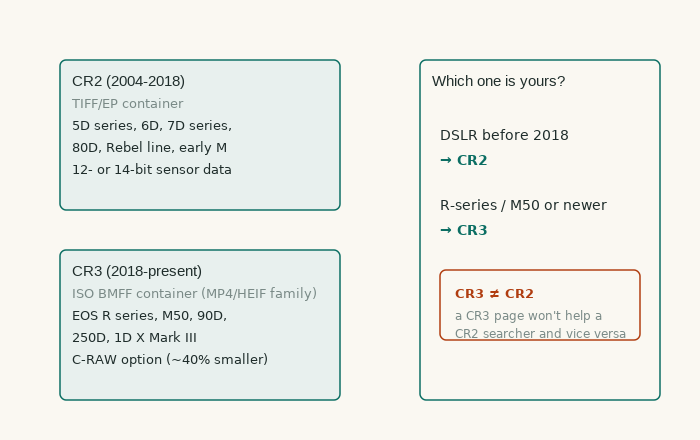
The CR2/CR3 split follows the mirrorless transition in 2018.
What a CR2 file is
CR2 is the second-generation RAW format from Canon, introduced in 2004 and used by Canon DSLRs for close to fifteen years. A CR2 file contains the unprocessed readings from every photosite on the camera's sensor at the moment of exposure, plus the camera's metadata and an embedded JPEG preview.
The key idea is that a CR2 is not a finished image. The sensor records one brightness value per photosite through a red, green or blue filter - a mosaic - and the camera stores those readings as they came off the sensor, at 12- or 14-bit precision depending on the era of the body. No white balance, no sharpening, no Picture Style has been applied. Turning that mosaic into a viewable photograph is the job of a RAW editor.
Technically, CR2 is built on the TIFF/EP container, which is why it is so widely supported: the structure is a well-documented extension of a format every imaging tool already reads. A typical CR2 from an 18-30 megapixel body is roughly 20-40 MB.
The embedded JPEG preview inside the CR2 is worth knowing about, because it is what makes fast viewing possible: the camera stores a full-size JPEG rendering of the shot inside the RAW file, and viewers can display that preview instantly without demosaicing the sensor data. It is also why a CR2 file is larger than the sum of its raw data - the preview is stored alongside it.
Why Canon cameras save RAW instead of JPEG
When you shoot JPEG, the camera applies white balance, sharpening, noise reduction and compression at capture time, and discards the data those steps removed. The result is a finished, small file - and a permanent decision about how the photo should look.
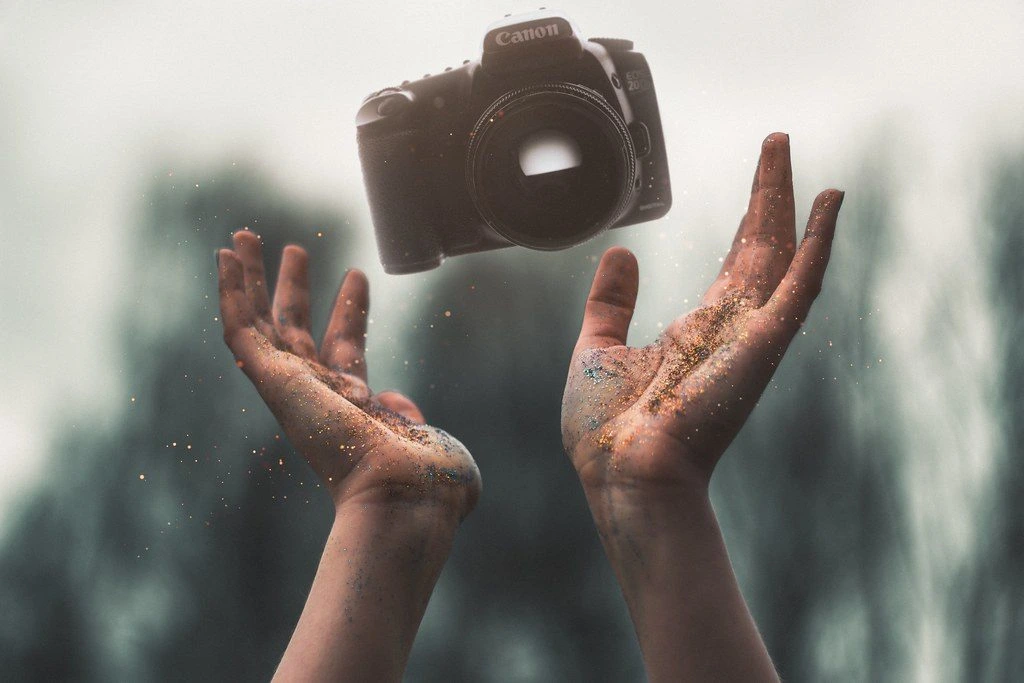
A Canon DSLR shooting RAW keeps every bit of sensor data the exposure captured. Photo by homegets.com, CC BY 2.0.
When you shoot RAW, the camera records everything the sensor saw and defers every one of those decisions to you. That buys three things:
The cost is size and convenience. RAW files are several times larger than JPEGs, and they need software that understands them. That is the trade every photographer makes: a digital negative that needs processing, versus a finished print straight out of the camera.
There is a middle ground worth mentioning: most Canon bodies can shoot RAW + JPEG simultaneously, writing both files for every shot. That gives you the finished image for immediate use and the RAW for editing - at the cost of card space and write speed. Many photographers use this mode for events and travel, where both needs are real.
- Editing latitude. Exposure, white balance and highlight recovery can be adjusted after the fact with far less quality loss, because the data was never thrown away.
- Bit depth. A 14-bit RAW holds 16,384 levels per channel, versus 256 in an 8-bit JPEG. Gradients in skies and shadows stay smooth instead of banding.
- Reversibility. The original capture is never modified. Every edit is non-destructive, and you can always return to the untouched file.
CR2 vs CR3: which Canon cameras use which
The split falls at the mirrorless transition. Canon introduced CR3 in 2018 with the EOS M50, and every EOS R-series body writes it. The two formats are not interchangeable, and a searcher with a CR3 who lands on a CR2 page will bounce - so it is worth knowing which one your camera writes.
| CR2 | CR3 | |
|---|---|---|
| Introduced | 2004 | 2018 |
| Container | TIFF/EP based | ISO Base Media File Format (MP4/HEIF family) |
| Cameras | 5D series through 5D Mark IV, 6D, 6D Mark II, 7D series, 80D, Rebel line, early EOS M bodies, PowerShot G-series of that era | EOS R / RP / R5 / R6 / R6 II / R7 / R8 / R10 / R50 / R100, EOS M50 / M6 Mark II, 90D, 250D, 1D X Mark III |
| C-RAW option | No | Yes (roughly 40% smaller files) |
| Typical size (24 MP) | ~28 MB | ~22 MB |
| Third-party support | Universal | Most modern editors; some legacy plugins still refuse it |
The practical rule: if your camera is an EOS R-series body or an M50 or newer, it writes CR3. If it is a DSLR from before 2018 - the 5D Mark IV and earlier, the 6D, the 7D series, the 80D, the Rebel line - it writes CR2. Canon's own Digital Photo Professional handles both.
One more distinction: CR3's C-RAW option is a compressed RAW mode that runs roughly 40% smaller than a standard CR3 while keeping most of the editing latitude. It is a good default for travel and long shoots, but if you plan heavy edits, standard RAW is the safer choice.
Why Windows will not preview your CR2 files
Windows does not ship with a CR2 codec, so File Explorer shows CR2 files with a generic icon and no preview, and the Photos app refuses to open them. This is not a sign the file is broken - it is a missing codec.
The options, in order of convenience:
The one thing to avoid is renaming the file to .jpg - that does not convert anything, it just changes the label, and the file will not open.
On a Mac, the situation is better: macOS has built-in CR2 support in Preview and Photos, so double-clicking a CR2 usually just works. The conversion question remains the same, though - sharing still means producing a JPG. And if you shoot other camera RAW formats - NEF, ARW, RW2 - the image file viewers hub is where they are all covered.
- A browser-based converter. Drag the CR2 into a client-side converter and download a JPG. Nothing is uploaded, nothing is installed, and it works on any OS.
- Canon Digital Photo Professional. Canon's free RAW editor, included with most cameras, opens CR2 natively and can batch-convert to JPG.
- A RAW editor you already own. Lightroom, Capture One, DxO PhotoLab and Photoshop all open CR2.
- The Microsoft RAW Image Extension. A free codec from the Microsoft Store that adds CR2 previews to File Explorer and the Photos app.
How to convert CR2 to JPG
Converting a CR2 to JPG is the step that makes the photo shareable, because JPEG is what email, web forms, social media and most software expect.
In your browser. You can convert a CR2 to JPG in your browser with FileViewerHub's CR2 converter - the file is read entirely on your device, never uploaded - and download the JPG. This is the fastest option when you have one or a few files and no RAW editor installed.
With Canon Digital Photo Professional. For batches, DPP is the reliable route: select the files, choose Convert and Save, set the JPG quality, and DPP applies the in-camera Picture Style automatically. A 500-file batch runs in well under half an hour on a modern machine.
With a RAW editor. Lightroom and similar tools give you full control over the conversion - white balance, tone curve, sharpening - before exporting the JPG. This is the right choice when the photo needs actual editing, not just conversion.
One honest caveat about browser conversion: a browser tool extracts the image data and renders it, but it does not apply Canon's full demosaicing and colour pipeline the way DPP or Lightroom does. For a quick shareable JPG it is excellent; for a print or a serious edit, use a dedicated RAW editor.
Should you keep the RAW file after converting?
Yes, keep the CR2. The JPG you converted is a finished interpretation; the CR2 is the original capture. If you later want a different crop, a different white balance, or a better conversion in a year's time, the RAW file is the only thing that makes that possible.
The practical pattern: convert to JPG for sharing, archive the CR2. Storage is cheap, and a RAW file you delete is gone forever. The only reason to delete CR2s is if you are certain you will never want to re-edit the photo - and most photographers who delete RAW files regret at least one of them.
A sensible archive habit: keep the CR2s on a dedicated drive or cloud backup, and keep only the JPGs in your working folders. That way the working copy is fast and shareable, and the negatives are safe. If you shoot a lot, the RAW files are the part of your library that is genuinely irreplaceable - the JPGs can always be regenerated from them, never the other way around.
One final point on storage: a 24-megapixel CR2 is roughly 25-30 MB, so a 64 GB card holds about 2,000 shots and a 1 TB drive holds roughly 35,000. If you shoot events or travel heavily, budget for the RAW files when you buy storage - they are the largest files in your library, and they are the ones you cannot recreate. Plan for them and they will never surprise you.
FAQ
What is a CR2 file?
A CR2 file is Canon's RAW photo format - the unprocessed sensor data from a Canon DSLR, saved at 12- or 14-bit precision with no in-camera processing applied. It is the digital negative of a photo.
What is the difference between CR2 and CR3?
CR2 is Canon's older RAW format (2004-2018), built on a TIFF-based container and used by DSLRs like the 5D series, 6D, 7D series and Rebel line. CR3 is the newer format (2018 onward) used by EOS R-series bodies and the EOS M50, built on the ISO Base Media File Format with a C-RAW option.
Why can't Windows open my CR2 files?
Windows does not include a CR2 codec. Install the free Microsoft RAW Image Extension, use Canon Digital Photo Professional, or convert the file in a browser-based converter.
Does converting CR2 to JPG lose quality?
Converting to JPG applies lossy compression, so the JPG is a finished, smaller file. The CR2 itself is never modified, so no quality is lost from the original - you can always convert again.
Which Canon cameras produce CR2 files?
Canon DSLRs from 2004 to 2018: the 5D series through the 5D Mark IV, 6D and 6D Mark II, 7D series, 80D, the Rebel line, early EOS M bodies, and PowerShot G-series compacts of that era. Newer bodies write CR3.
Can I edit a CR2 file without Photoshop?
Yes. Canon Digital Photo Professional is free and included with most cameras, and free editors like RawTherapee and darktable open CR2. Browser-based converters can also produce a JPG for quick edits.
Need to convert your CR2 to JPG online? Open the CR2 to JPG converter - no signup, no install, processed entirely on your device.