DNG is Adobe's open RAW photo format - a digital negative designed to be a universal container that any software can read, unlike the proprietary RAW formats each camera maker uses. Apple's ProRAW and many Android phones save DNG directly, and Adobe's free converter can turn a proprietary RAW into DNG for long-term archiving.
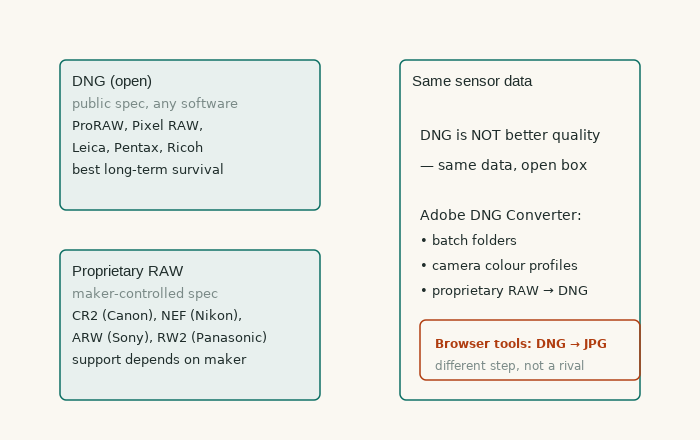
DNG is the same sensor data as proprietary RAW, in an open, documented container.
What a DNG file is
DNG stands for Digital Negative. It is Adobe's attempt to do for RAW photography what JPEG did for finished images: create one open, documented container that every camera maker and every software vendor can support, instead of a dozen proprietary formats.
A DNG file holds the same kind of data as any other RAW file - unprocessed sensor readings, metadata, and an embedded preview - but in a publicly documented format. Adobe published the DNG specification, and any company can implement it without licensing fees. That is the core difference from CR2, NEF, ARW and the other camera-specific RAW formats, whose internal structure is controlled by the camera maker.
Because the format is open, DNG is the RAW format with the best long-term survival odds. A DNG written today should still be readable by software decades from now, which is exactly why archivists and photographers who care about longevity convert their libraries to it.
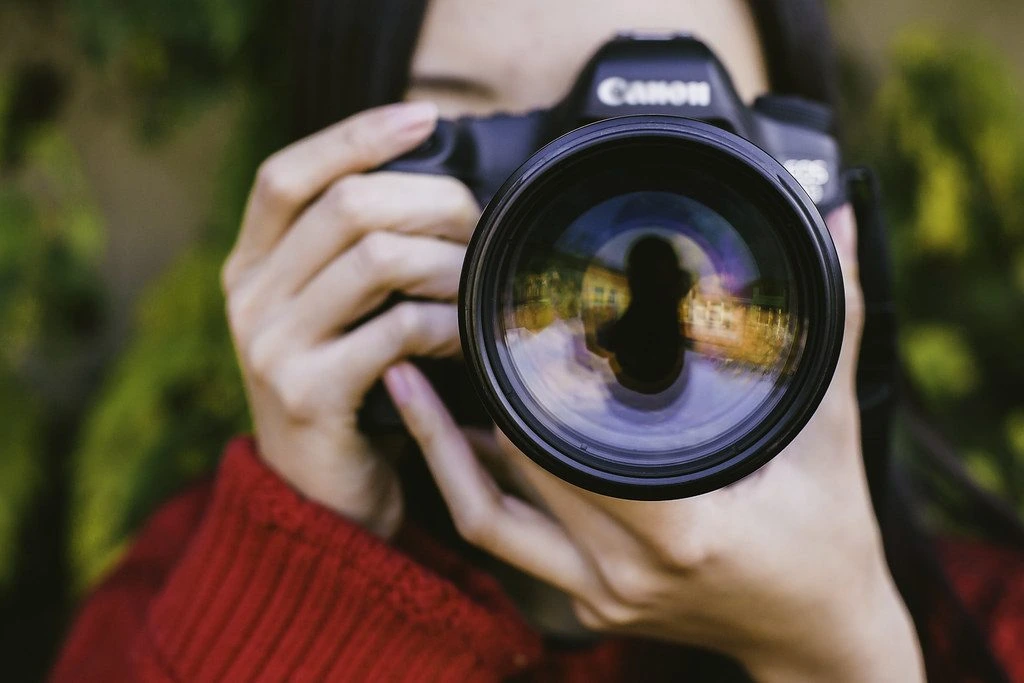
RAW capture through the lens - DNG wraps that sensor data in an open, documented container. Photo by photosbylanty, CC BY 2.0.
The format has been around since 2004, when Adobe first published the DNG specification, and it has been updated steadily since - the current specification covers everything from camera profiles to lossy compression options. That long, unbroken history is itself evidence for the format's durability: DNG has outlived several proprietary RAW formats already.
DNG vs proprietary RAW formats (CR2, NEF, ARW)
The practical differences between DNG and a camera maker's RAW format:
| DNG | Proprietary RAW (CR2, NEF, ARW) | |
|---|---|---|
| Specification | Public, open, documented by Adobe | Controlled by the camera maker |
| Software support | Any DNG-compatible app | Depends on the maker's licensing |
| Camera support | No camera writes DNG natively except a few (Leica, Pentax, Ricoh, Hasselblad, DJI) | Every camera writes its own |
| Conversion | Free Adobe DNG Converter converts proprietary RAW to DNG | Cannot be converted to another proprietary format |
| Longevity | Excellent - open standard | Depends on the maker's continued support |
| File size | Similar to the source RAW, sometimes slightly smaller | Baseline |
The honest trade-off: converting to DNG gives you an open, future-proof file, but it is an extra step, and some photographers prefer to keep the camera's original RAW untouched as the master. Both positions are defensible. The important thing is that DNG is not "better" than Canon's CR2 format or NEF in image quality - it is the same sensor data in a different, open container.
One practical detail: DNG conversion is lossless in the sensor-data sense. The converter does not re-process the image; it repackages the raw readings into the DNG container, optionally embedding the original RAW file inside the DNG for extra safety. That means converting to DNG does not degrade the image, and the original data can travel with the file if you choose the embed option.
Why phones now shoot DNG
Apple's ProRAW and the RAW modes on many Android phones save DNG files, and this is the reason most people encounter the format today. When you shoot ProRAW on an iPhone, the camera captures a DNG that combines the sensor data with Apple's computational photography - the multi-frame processing that gives iPhone photos their look - while still leaving you editing room in a RAW workflow.
The same pattern holds on Android: Google's Pixel phones and most other Android flagships offer a RAW mode that writes DNG, and third-party camera apps like Lightroom Mobile and ProCam do the same. For phone photographers, DNG is the format that makes the phone's camera behave like a real camera: you get the sensor data, and you get to process it.
The practical consequence is that DNG files from phones are large - a ProRAW file is typically 15-25 MB, several times the size of the HEIC or JPEG the phone also saves. That is the price of the editing latitude.
It is also why phone RAW shooting is a deliberate choice rather than a default: the phone always saves a normal photo too, and the DNG is an extra file for the shots you want to edit properly. Shooting everything in ProRAW fills storage quickly; shooting RAW only for the important frames is the pattern most photographers settle into.
Adobe DNG Converter vs browser-based tools
Adobe DNG Converter is a free desktop application that converts proprietary RAW files (CR2, NEF, ARW, and dozens of others) into DNG. It is the standard tool for building a DNG archive, and it does three things a browser tool cannot:
What a browser tool does that Adobe DNG Converter does not: it converts a DNG to a shareable JPG without installing anything, and it works on any device. Adobe DNG Converter is Windows and macOS desktop software; it does not run on a phone, and it does not produce JPGs.
The honest comparison, then: if you are archiving a RAW library, use Adobe DNG Converter - it is free, it is the right tool, and nothing in a browser replaces it. If you have a single DNG from a phone or camera and you want a JPG to send someone, a browser-based converter is the faster path. They are not competitors; they solve different steps of the same workflow.
- Batch conversion of whole folders. You point it at a folder of thousands of RAW files, and it converts them all in one pass. A browser tool handles one file at a time.
- Camera-specific colour profile handling. The converter applies the camera's colour profile during conversion, so the DNG carries the same colour behaviour as the original RAW. A browser tool has no access to Canon's or Nikon's proprietary colour science.
- Conversion FROM proprietary RAW into DNG. This is the converter's whole purpose - turning CR2, NEF, ARW and other formats into the open DNG container. A browser tool converts to JPG or PNG, not to DNG.
How to convert DNG to JPG
Converting a DNG to JPG is the step that makes the photo shareable, because DNG is a working format, not a delivery format.
In your browser. You can convert a DNG to JPG in your browser with FileViewerHub's DNG converter - processed entirely on your device, nothing uploaded - and download the JPG. This is the fastest option for a single file on any device, including a phone.
With a RAW editor. Lightroom, Capture One, DxO PhotoLab and Photoshop all open DNG natively and export JPGs with full control over the conversion. This is the right choice when the photo needs actual editing.
On a Mac. Preview opens DNG files directly, and you can export a JPG from File > Export. This works for a quick conversion with no extra software.
One honest limitation of browser conversion: a browser tool renders the DNG's image data, but it does not apply the full colour pipeline of a dedicated RAW editor. For a quick shareable JPG it is fine; for a print or a serious edit, use a RAW editor.
A practical note on quality: converting a DNG to JPG is a lossy step by design - JPEG compression discards data. The DNG itself is never modified, so you can convert the same DNG again at any quality setting, and the source stays pristine. If you are not sure which JPG quality you need, convert at the highest setting; the file is larger, but you can always make a smaller version later from the same DNG.
When DNG is the right archival choice
DNG earns its keep in three situations:
DNG is the wrong choice if you want to keep the camera's original RAW untouched as your master, or if you are happy with your current editor's support for your camera's format. There is no quality penalty either way - the sensor data is the same - so the decision is about workflow and longevity, not image quality.
One more consideration: if you ever plan to switch editing software, DNG is the format that makes the switch painless. Proprietary RAW support varies between editors - one editor may read your camera's format perfectly while another struggles with it. DNG is read by every serious editor, so a DNG library is a portable library.
There is also a workflow argument for DNG that is easy to miss: DNG files can hold the edit metadata from Lightroom and other editors inside the file itself, rather than in a separate sidecar catalog. That means a DNG carries its edits with it when it moves between computers or libraries. For photographers who work across multiple machines, this is a genuine convenience that proprietary RAW formats do not offer.
Finally, a word on the "Adobe lock-in" concern that comes up whenever DNG is discussed. DNG is Adobe's format, but it is an open, published specification, and it is implemented by many non-Adobe products - Apple, Google, and every major RAW editor read it. The format is not a trap; it is the opposite of one. The specification is public, the implementations are many, and the file format does not depend on any single product surviving.
If you are deciding whether to convert an existing library, the honest guidance is to start small: convert a few hundred files from one shoot, work with them for a month, and see whether the workflow suits you. DNG conversion is reversible in the sense that the original RAW files are untouched - the converter never modifies the source - so there is no risk in trying. The only real cost is the time the conversion takes, and for most libraries that is a one-time afternoon well spent indeed.
- You shoot with multiple camera brands. A mixed library of CR2, NEF and ARW files is a maintenance problem; converted to DNG, it is one format to manage and one format to back up.
- You care about long-term access. Proprietary RAW formats depend on the maker's continued support. DNG is an open, documented standard with no such dependency.
- You use Adobe software. Lightroom and Photoshop treat DNG as a first-class format, and Adobe's ecosystem is where DNG is most at home.
FAQ
What is a DNG file?
DNG (Digital Negative) is Adobe's open RAW photo format - a publicly documented container for unprocessed sensor data that any software can read, unlike the proprietary RAW formats each camera maker uses.
Is DNG better than CR2 or NEF?
Not in image quality - it is the same sensor data in a different container. DNG's advantage is that the format is open and documented, so it has better long-term software support and is the safer archival choice.
Do I need Adobe DNG Converter?
Only if you want to convert proprietary RAW files (CR2, NEF, ARW) into DNG for archiving. It is free, and it is the right tool for that job. If you just have a DNG you want to share as a JPG, a browser-based converter is faster.
Does converting DNG to JPG lose quality?
Converting to JPG applies lossy compression, so the JPG is a finished, smaller file. The DNG itself is never modified, so no quality is lost from the original - you can always convert again.
Why does my iPhone save DNG files?
When you shoot ProRAW, the iPhone saves a DNG that combines sensor data with Apple's computational photography, giving you RAW editing latitude. The phone also saves a normal HEIC or JPEG alongside it.
Can I open DNG without Adobe software?
Yes. DNG is an open format: Preview on Mac opens it natively, and Lightroom, Capture One, DxO PhotoLab, RawTherapee, darktable and browser-based converters all handle it.
Need to convert your DNG to JPG online? Open the DNG to JPG converter - no signup, no install, processed entirely on your device.